

For schools, nonprofits and community groups
Member, volunteer and supporter cards without the printing
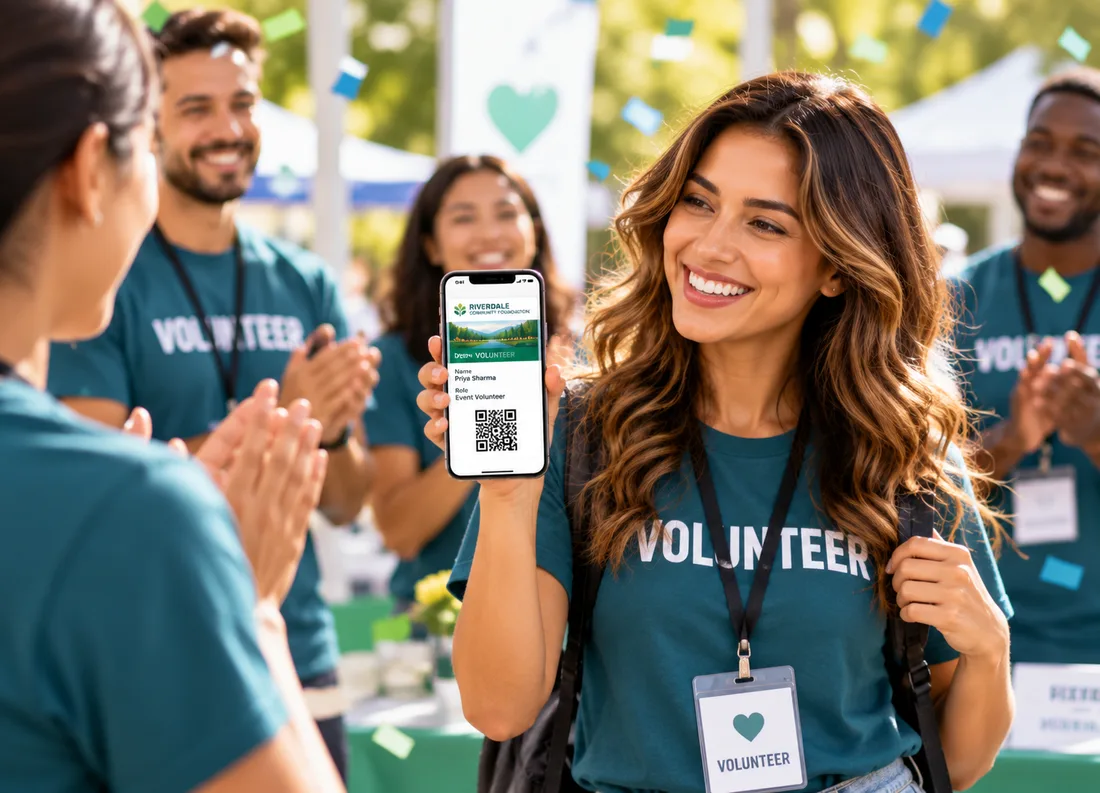
Give families, volunteers and supporters a digital card in Apple Wallet or Google Wallet. Add their name and level, keep it current, and send reminders about events and renewals. No printing, no app.
New accounts get 20 pass credits free.
Why paper cards and spreadsheets hold groups back
Printing takes time and money
Every new member or volunteer means another card to print. A digital card is ready as soon as you create it.
Details go out of date
Levels and renewal dates change. A wallet pass updates on the person's phone when you change it.
Reminders get missed
A notification about an event or a renewal shows up on the lock screen, not in a crowded inbox.
How it works
Live in three steps
Design the card
Start from a membership template, add your logo and colors, and choose the fields to show, such as name, level and valid-till date.
Issue cards to people
Upload your list as a CSV, or create a card automatically when someone completes a signup or donation form.
Keep in touch
Update a card when someone's status changes, and send reminders about events, meetings and renewals.
Features
Simple tools for groups that run on volunteers
One design, a card per person
Add @variables like @name or @level to any field so each person gets their own card from a single design.
Bulk import
Upload a CSV to create every personalized card in one go, or add people one at a time.
Cards after a form or payment
Point a signup form or payment tool, like Jotform, Typeform or Stripe Checkout, at your automations and a card is created as people sign up.
Tickets and reminders for events
Issue event tickets as passes and send a notification when the event starts, or schedule reminders ahead of time.
Expiry and renewals
Set an expiry so lapsed cards show as expired in the wallet, and notify people before it happens.
Shared access for your team
Invite team members with different roles, so staff and volunteer leads can help without sharing a login.
Passes schools and nonprofits start with
Pick a template, swap in your logo and colors, and publish. Each one works in Apple Wallet and Google Wallet.
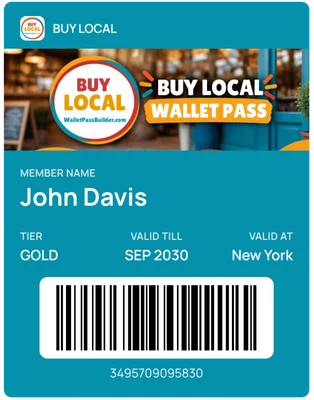
Membership card
A card with a name, level and valid-till date.
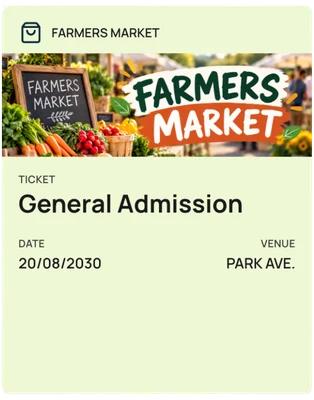
Community event
An entry pass for fundraisers, fairs and open days.
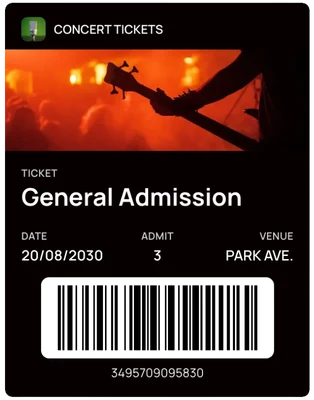
Event ticket
A ticket with a date, number admitted and barcode.
FAQ
Questions schools and nonprofits ask us
Do my customers need to download an app?+
No. The pass is saved straight into Apple Wallet on iPhone or Google Wallet on Android, using the wallet app that's already on their phone.
How do I issue cards to everyone we already have?+
Upload your list as a CSV to create a personalized card for each person, or add rows one at a time.
Can a card be created when someone signs up or donates?+
Yes. Automations can react to events from tools like Jotform, Typeform and Stripe Checkout, through a small relay such as Zapier or Make, and then create a pass for the person.
Can I remind people about events and renewals?+
Yes. Send a custom or scheduled notification, turn on the event-start notification, or notify before a pass expires.
Can several people on our team manage the cards?+
Yes. Invite team members and give each a role.
How much does it cost?+
One plan with every feature: $49 a month or $490 a year, with 1,000 pass credits included. New accounts get 20 pass credits free to try it out.
More use cases
See how other businesses use wallet passes
- Restaurants and cafes
- Gyms and studios
- Events
- Retail and boutiques
- Associations and clubs
- Creators and professionals
- Salons and spas
- Gift cards
Designing your first pass? Read the Apple Wallet and Google Wallet best practices guide.
Your next card doesn’t need to be plastic.
Create a wallet pass your customers can save in seconds.