

For associations, clubs and member groups
Issue a member card the moment someone joins
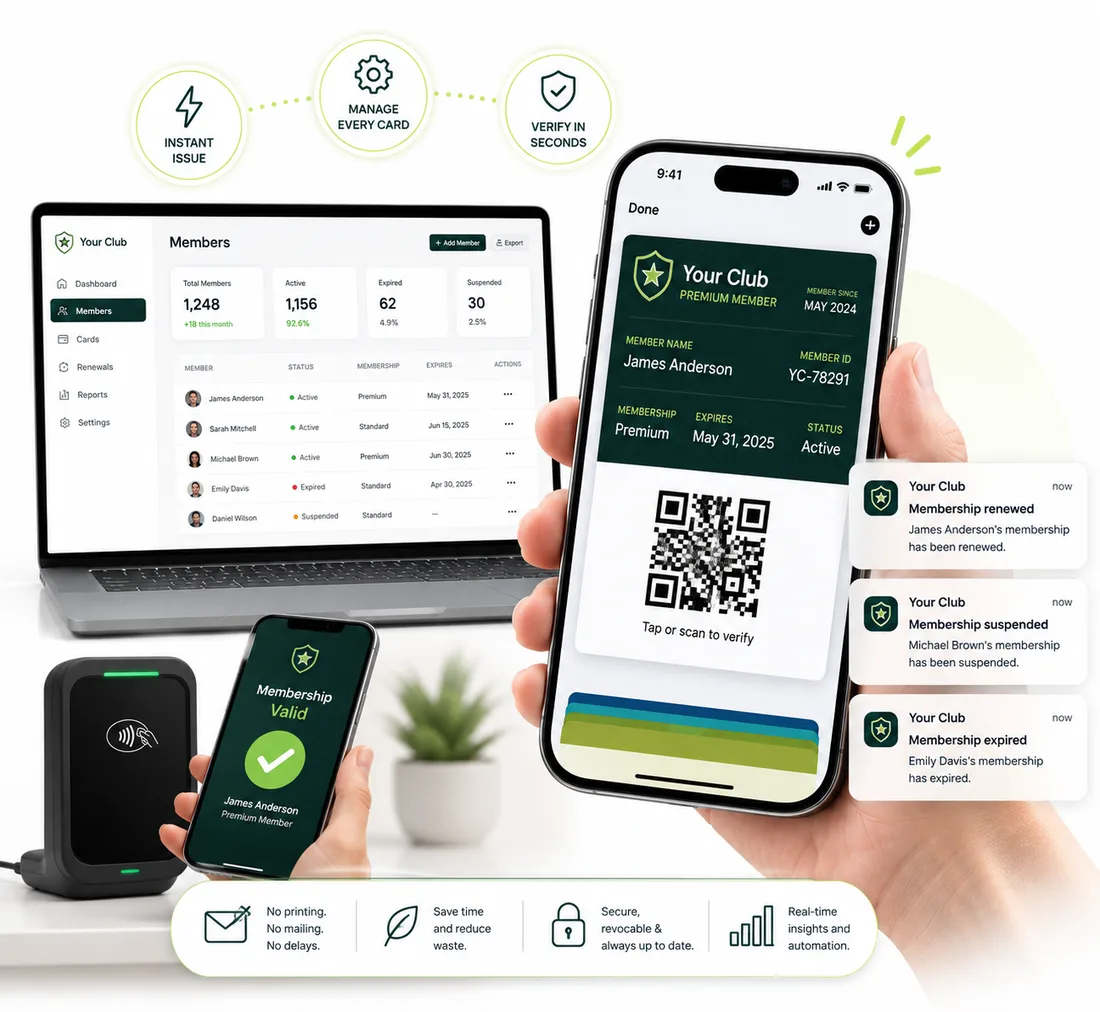
Give every member a digital card in Apple Wallet or Google Wallet. Add their name, level and expiry, and update it whenever their status changes. No printing, no mailing, no app.
New accounts get 20 pass credits free.
Why printed member cards are a hassle
Printing and mailing takes time
Every new member means a card to print and post. A digital card is ready as soon as you create it.
Cards go out of date
When a member changes level or renews, the printed card is wrong. A wallet pass updates on their phone when you change it.
Renewals slip by
Set an expiry on each pass and notify members before it runs out, so they hear from you before they lapse.
How it works
Live in three steps
Design the member card
Start from a membership template, add your logo and colors, and choose the fields to show, such as member name, member ID, level and valid-till date.
Issue cards to members
Upload your roster as a CSV to create a personalized card for everyone at once. Or create one automatically when someone completes your application or payment form.
Keep every card current
Update a member's details and the saved pass updates. Send renewal reminders and announcements to their lock screen.
Features
What a member card needs to do
One design, a card per member
Add @variables like @name, @level or @memberid to any field so each member gets their own card from a single design.
Bulk import your roster
Upload a CSV to create every personalized card in one go, or add members one at a time.
Cards after a form or payment
Point an application form or payment tool at your pass's webhook URL and each new member's card is created automatically. An automation can email, text or WhatsApp them the pass.
Expiry and renewal reminders
Set an expiry date so lapsed cards show as expired in the wallet, and notify members before it happens.
Announcements
Send custom or scheduled notifications about meetings, events and deadlines, straight to the lock screen.
Your team can help
Invite team members with different roles, so the people who run memberships can manage passes without sharing a login.
Passes associations start with
Pick a template, swap in your logo and colors, and publish. Each one works in Apple Wallet and Google Wallet.
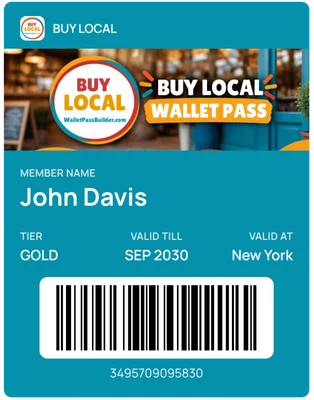
Membership card
A member card with a name, level and valid-till date.
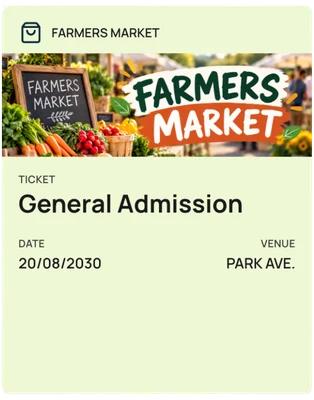
Members-only event
An entry pass for meetings, socials and fundraisers.
FAQ
Questions associations ask us
Do my customers need to download an app?+
No. The pass is saved straight into Apple Wallet on iPhone or Google Wallet on Android, using the wallet app that's already on their phone.
Can I check membership at the door?+
Each card shows the member's name, level and expiry, and carries a QR code or barcode that a check-in app can read.
How do I issue cards to my existing members?+
Upload your roster as a CSV to create a personalized card for every member, or add rows one at a time.
Can new members get a card automatically?+
Yes. Point an application or payment form at your pass's webhook URL to create a personalized card as people join.
Can I remind members to renew?+
Yes. Set an expiry on the pass and turn on the notification before expiry, or send a custom or scheduled notification.
Can several people on our team manage the cards?+
Yes. Invite team members and give each a role, so your membership team can work in the same account.
How much does it cost?+
One plan with every feature: $49 a month or $490 a year, with 1,000 pass credits included. New accounts get 20 pass credits free to try it out.
More use cases
See how other businesses use wallet passes
- Restaurants and cafes
- Gyms and studios
- Events
- Retail and boutiques
- Creators and professionals
- Salons and spas
- Schools and nonprofits
- Gift cards
Designing your first pass? Read the Apple Wallet and Google Wallet best practices guide.
Your next card doesn’t need to be plastic.
Create a wallet pass your customers can save in seconds.