

For creators, freelancers and professionals
A pass your audience actually keeps
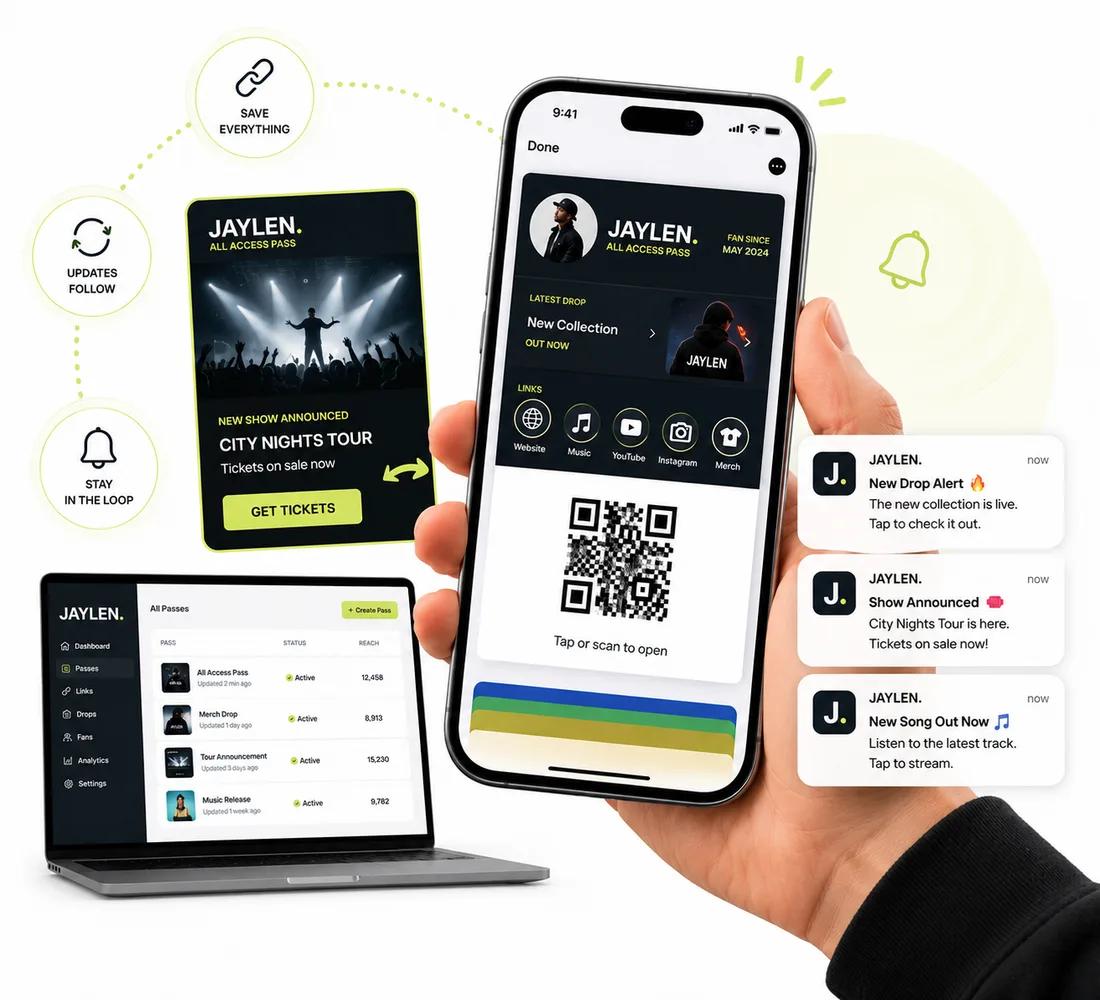
Put your contact details, links and offers on a pass in Apple Wallet or Google Wallet. Update it once and every saved copy follows, then send a notification when something new goes live.
New accounts get 20 pass credits free.
Why your links get lost
Business cards get tossed
A paper card ends up in a drawer. A wallet pass stays with the phone, next to the cards people use every day.
Your links are hard to find again
People rarely go back to a bio page. A wallet pass puts your links and phone number one tap away.
Old details linger
Printed details go stale the moment you change your number or launch something new. A wallet pass updates on every phone that saved it.
How it works
Live in three steps
Design your pass
Start from a template, add your photo or logo and colors, and put your name and title on the front.
Add your links and details
Add your website, phone number and links to the back of the pass. Add a QR code that points to your site or booking page.
Share it and keep it fresh
Share the link or QR code anywhere. When something changes, update the pass once and notify everyone who saved it.
Features
A card that does more than sit there
Links and phone numbers on the back
Put your website, phone number and other details on the back of the pass, so people can tap them.
A QR code to anywhere
Add a QR code that points to your site, your latest drop or your booking page.
Update once, everywhere
Edit the pass and every saved copy updates. No reprinting, no asking people to re-download anything.
Notify your audience
Send a custom or scheduled notification when something goes live, and it appears on the lock screen of everyone who saved the pass.
A card for every teammate
Upload a CSV to create a personalized card for each person on your team from one design, each with their own name and title.
Keep it members-only
Add an access code so only people you've shared it with can add your pass, such as supporters or paying fans.
Passes creators start with
Pick a template, swap in your details, and publish. Each one works in Apple Wallet and Google Wallet.
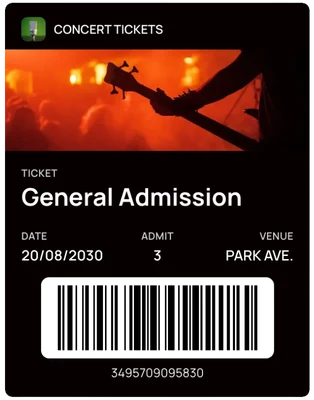
Event ticket
A ticket for a show, workshop or meetup.
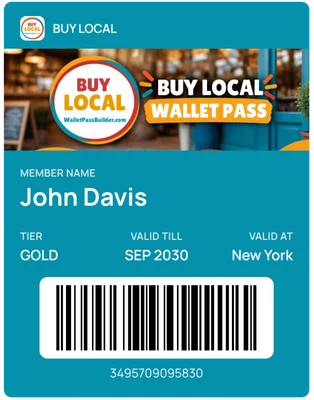
Supporter membership
A membership pass for your most loyal followers.
FAQ
Questions creators ask us
Do my customers need to download an app?+
No. The pass is saved straight into Apple Wallet on iPhone or Google Wallet on Android, using the wallet app that's already on their phone.
What can I put on the back of the pass?+
Text, links and phone numbers. Add your website, your number and anything else you want people to find, and they can tap them.
Can I change the pass after people have saved it?+
Yes. Edit the pass and the copies saved on people's phones update.
Can I notify people who saved my pass?+
Yes. Send a custom notification any time, or schedule one for later. It appears on the lock screen.
Can I make a card for everyone on my team?+
Yes. Upload a CSV to create a personalized pass for each person from a single design.
Can I limit who can add my pass?+
Yes. Add an access code, and turn on single-save if each link should be saved only once.
How much does it cost?+
One plan with every feature: $49 a month or $490 a year, with 1,000 pass credits included. New accounts get 20 pass credits free to try it out.
More use cases
See how other businesses use wallet passes
- Restaurants and cafes
- Gyms and studios
- Events
- Retail and boutiques
- Associations and clubs
- Salons and spas
- Schools and nonprofits
- Gift cards
Designing your first pass? Read the Apple Wallet and Google Wallet best practices guide.
Your next card doesn’t need to be plastic.
Create a wallet pass your customers can save in seconds.