

For events, venues and organizers
Tickets that live in the wallet, not buried in an email
Send every attendee a personalized ticket for Apple Wallet or Google Wallet as soon as they register. Add the date, venue and seat, remind them before the event, and skip the app download.
New accounts get 20 pass credits free.
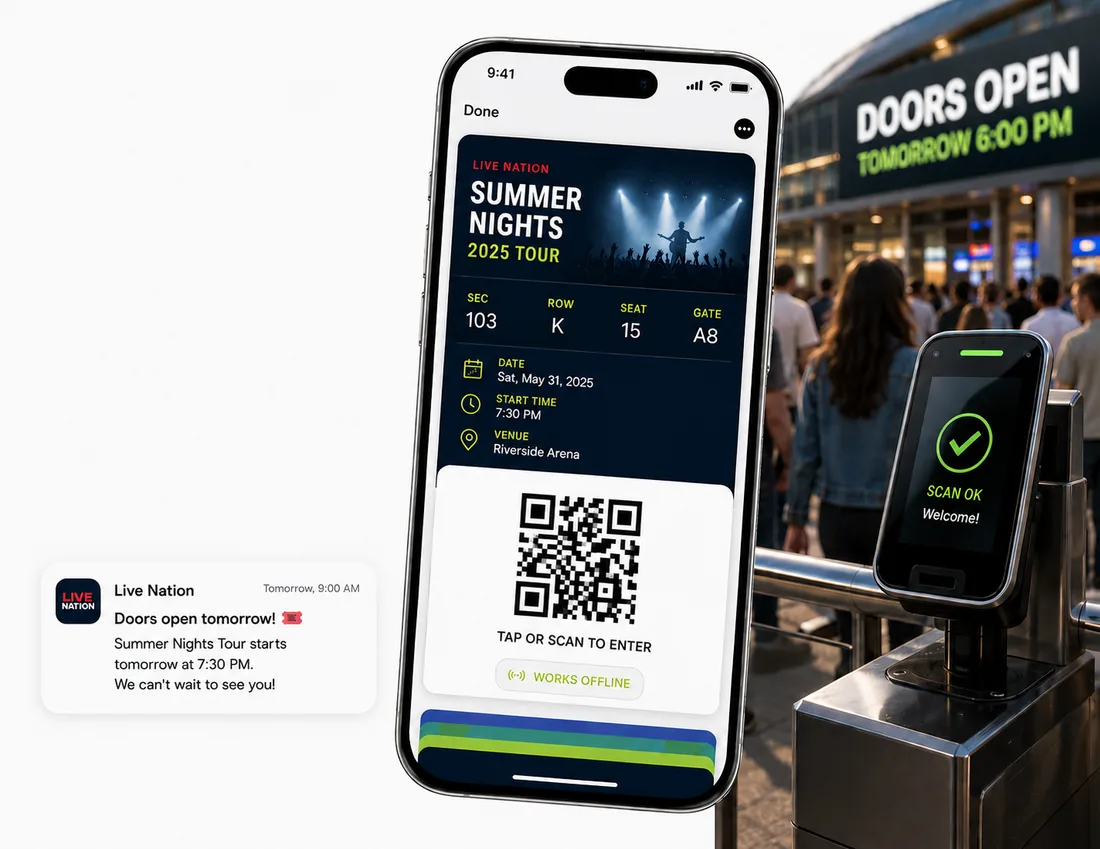
Why emailed tickets cause trouble at the door
Tickets get buried
Attendees end up searching their inbox in the entry line. A wallet pass is one tap away, and it's already open to the right ticket.
Links get passed around
Turn on single-save so a ticket can be saved only once, which helps stop one link ending up on many phones. Add an access code for another layer.
People forget the details
Send a notification at the event start, or schedule reminders for the day before. Change the venue or time and every saved ticket updates.
How it works
Live in three steps
Design the ticket
Start from an event ticket template, add a hero image, and choose the fields to show, such as date, venue, seat or number admitted. Add a QR code or barcode.
Send it to attendees
Upload your attendee list as a CSV, or create tickets automatically when someone registers or buys. An automation can then email, text or WhatsApp the pass to them.
Remind and update
Notify attendees when the event starts, or schedule reminders ahead of time. If plans change, edit the ticket and every saved copy updates.
Features
Everything between the sale and the show
A personalized ticket for everyone
Add @variables like @name or @seat to any field, so each attendee gets their own ticket from one design.
A QR code or barcode
Every ticket carries a QR code or barcode, so your existing scanning app or reader can check people in.
Tickets after registration or purchase
Point a form, checkout or booking tool at your pass's webhook URL, or build an automation that reacts to sign-ups and payments.
Delivery by email, text or WhatsApp
An automation action sends each attendee their pass to the address or number they gave you.
Reminders that get seen
Notify attendees when the event starts, or send custom and scheduled messages that appear on the lock screen. On Apple Wallet, set a location to surface the ticket when they're nearby.
Last-minute changes
Change the venue or start time and every saved ticket updates. Set tickets to expire once the event ends.
Passes events start with
Pick a template, swap in your event details, and publish. Each one works in Apple Wallet and Google Wallet.
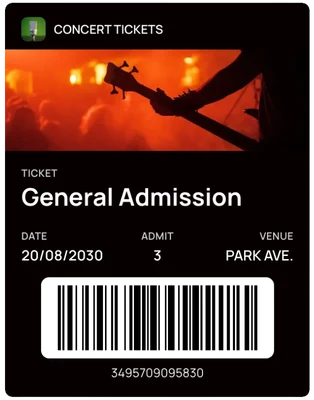
Ticketed event
A ticket with the date, number admitted, venue and barcode.
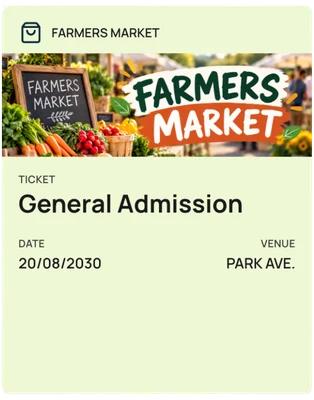
Community event
A simple entry pass for markets, fairs and meetups.
FAQ
Questions event organizers ask us
Do my customers need to download an app?+
No. The pass is saved straight into Apple Wallet on iPhone or Google Wallet on Android, using the wallet app that's already on their phone.
How do attendees get their ticket?+
Share a link or QR code, or have an automation email, text or WhatsApp each attendee their own pass as soon as they register.
Can I stop a ticket being shared with lots of people?+
You can restrict a pass so it can be saved only once, which helps prevent multiple saves from the same link, and add an access code. Neither replaces checking tickets at the door.
Can I scan tickets at the entrance?+
Each ticket has a QR code or barcode that a scanning app can read. WalletPassBuilder's own scanner is built for loyalty passes, so use your existing check-in tool for tickets.
Can I remind people before the event?+
Yes. Turn on the event-start notification, or send a custom or scheduled notification whenever you like.
Can I create tickets for a whole guest list?+
Yes. Upload a CSV to create a personalized ticket for everyone on your list, or add rows one at a time.
What if the venue or time changes after I've sent tickets?+
Edit the ticket and the copies saved on attendees' phones update. Send a notification if you want to make sure they see it.
How much does it cost?+
One plan with every feature: $49 a month or $490 a year, with 1,000 pass credits included. New accounts get 20 pass credits free to try it out.
More use cases
See how other businesses use wallet passes
- Restaurants and cafes
- Gyms and studios
- Retail and boutiques
- Associations and clubs
- Creators and professionals
- Salons and spas
- Schools and nonprofits
- Gift cards
Designing your first pass? Read the Apple Wallet and Google Wallet best practices guide.
Your next card doesn’t need to be plastic.
Create a wallet pass your customers can save in seconds.