

For shops and boutiques
Give shoppers a reason to come back, right in their wallet
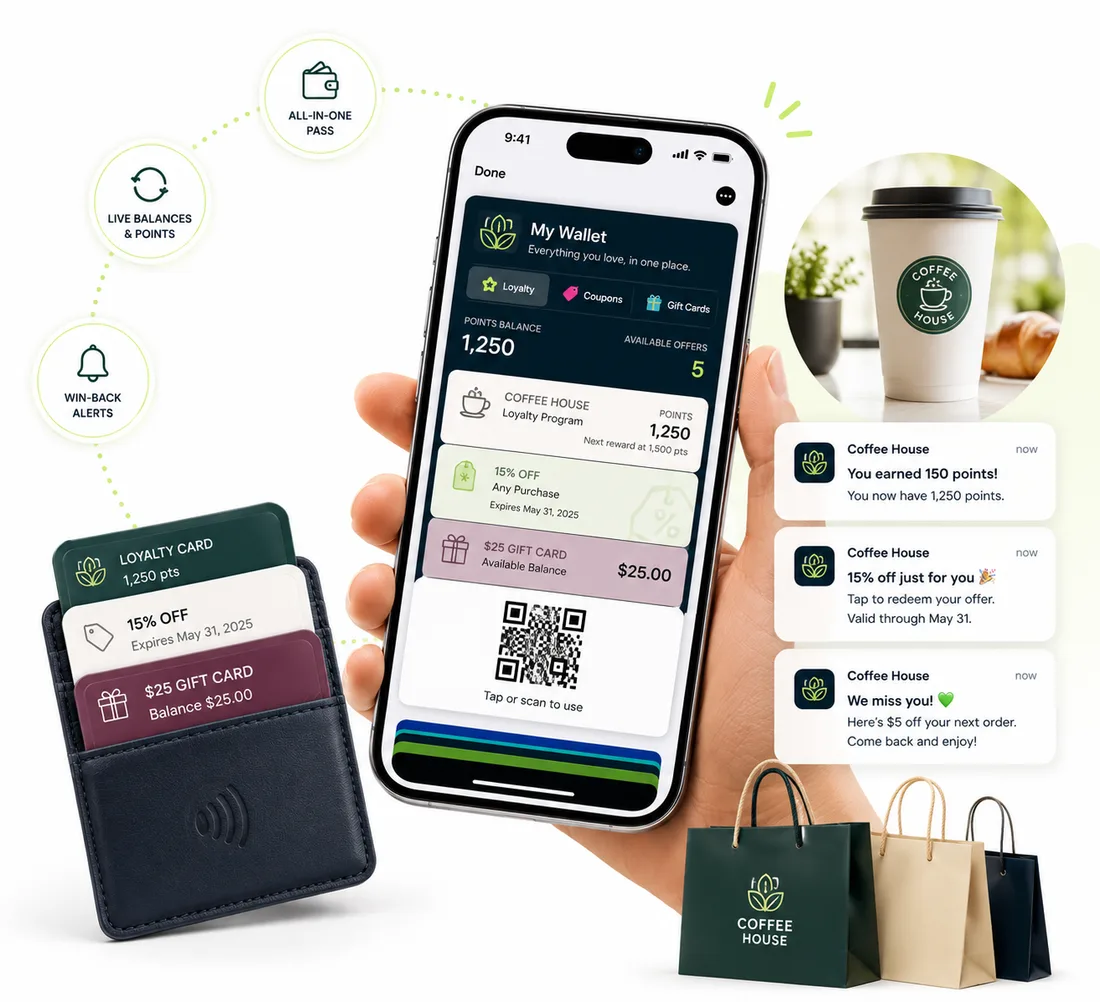
Run loyalty, offers and gift cards from one place. Shoppers save them in a tap, you keep the details current, and you can message them when there's something worth coming in for.
New accounts get 20 pass credits free.
Why discounts alone don't build loyalty
Coupons get thrown away
Paper coupons and screenshotted codes vanish. A wallet pass sits next to the cards a shopper already uses, and you can set an expiry so it's clear when the offer ends.
You can't reach past customers
Once they leave, you've lost them. A saved pass lets you send a notification about a sale or a new arrival, straight to the lock screen.
Gift cards go unused
Plastic gift cards end up in drawers. A wallet pass is easy to find, shows the balance you keep up to date, and can be followed by a reminder.
How it works
Live in three steps
Pick the pass
Start from a loyalty, offer or gift card template, add your logo and colors, and set the details, such as the reward or the code.
Hand it out
Put a QR code at the register or on receipts, or create passes automatically after an online order. You can also upload a customer list as a CSV.
Bring them back
Send offers and announcements to the lock screen, update a pass whenever a deal changes, and stamp loyalty passes with a scan at the till.
Features
One account for every way shoppers come back
Loyalty rewards
Reward every visit or every amount spent. Your team scans the pass with the built-in scanner, and the pass resets when a reward is earned.
Offers with an expiry
Create an offer with a code, and set it to expire so it shows as expired in the wallet when it ends.
Gift cards with a balance
Show a balance on the card, and update it by editing the pass, uploading a CSV, or through the API or an automation.
Passes after an online order
Build an automation that creates a pass when an order comes in from tools like WooCommerce, Stripe Checkout or Square, using a small relay such as Zapier or Make.
Notifications and nearby alerts
Send custom or scheduled messages to everyone who saved the pass. On Apple Wallet, set a store location so the pass surfaces when a shopper is nearby.
See what's working
Your stats page shows how many shoppers saved the pass, and when, with a list of each save and removal.
Passes retailers start with
Pick a template, swap in your logo and colors, and publish. Each one works in Apple Wallet and Google Wallet.
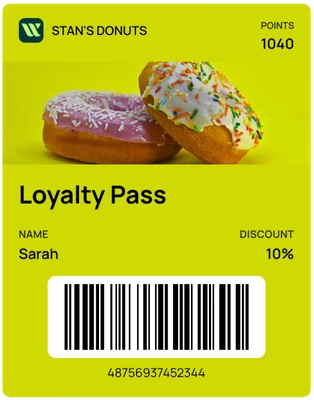
Loyalty pass
A points balance and discount, with a photo of your best seller.
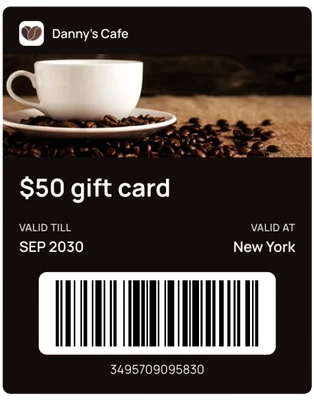
Gift card
A digital gift card shoppers can keep and send.
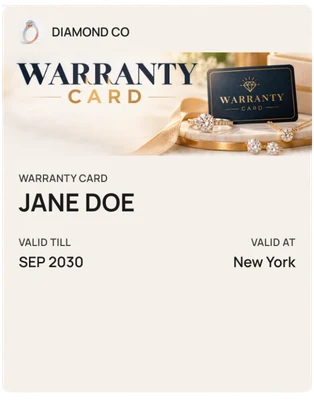
Warranty card
A product warranty that stays with the purchase.
FAQ
Questions retailers ask us
Do my customers need to download an app?+
No. The pass is saved straight into Apple Wallet on iPhone or Google Wallet on Android, using the wallet app that's already on their phone.
Can I run loyalty, coupons and gift cards together?+
Yes. Each is its own pass, and one account can hold all of them.
Do I need a special POS system?+
No. Your team can scan loyalty passes with the camera on a phone or tablet. If you want your own POS to record visits, the REST API can post loyalty transactions.
How do gift card balances work?+
The balance is a field on the pass that you set and update. WalletPassBuilder doesn't process payments or redeem the value, so you take payment and redeem at your own register, then update the balance.
Can I create a pass after an online purchase?+
Yes. Automations can react to events from tools like WooCommerce, Stripe Checkout and Square, through a small relay such as Zapier or Make, and then create a pass for the customer.
Can I send offers to shoppers who saved my pass?+
Yes. Send a notification any time, or schedule one for later. It appears on the shopper's lock screen.
Can I run more than one store?+
Yes. Use a separate workspace for each store so passes, stats and staff stay separate.
How much does it cost?+
One plan with every feature: $49 a month or $490 a year, with 1,000 pass credits included. New accounts get 20 pass credits free to try it out.
More use cases
See how other businesses use wallet passes
- Restaurants and cafes
- Gyms and studios
- Events
- Associations and clubs
- Creators and professionals
- Salons and spas
- Schools and nonprofits
- Gift cards
Designing your first pass? Read the Apple Wallet and Google Wallet best practices guide.
Your next card doesn’t need to be plastic.
Create a wallet pass your customers can save in seconds.