

For restaurants, cafes and bars
A loyalty card your guests never leave at home
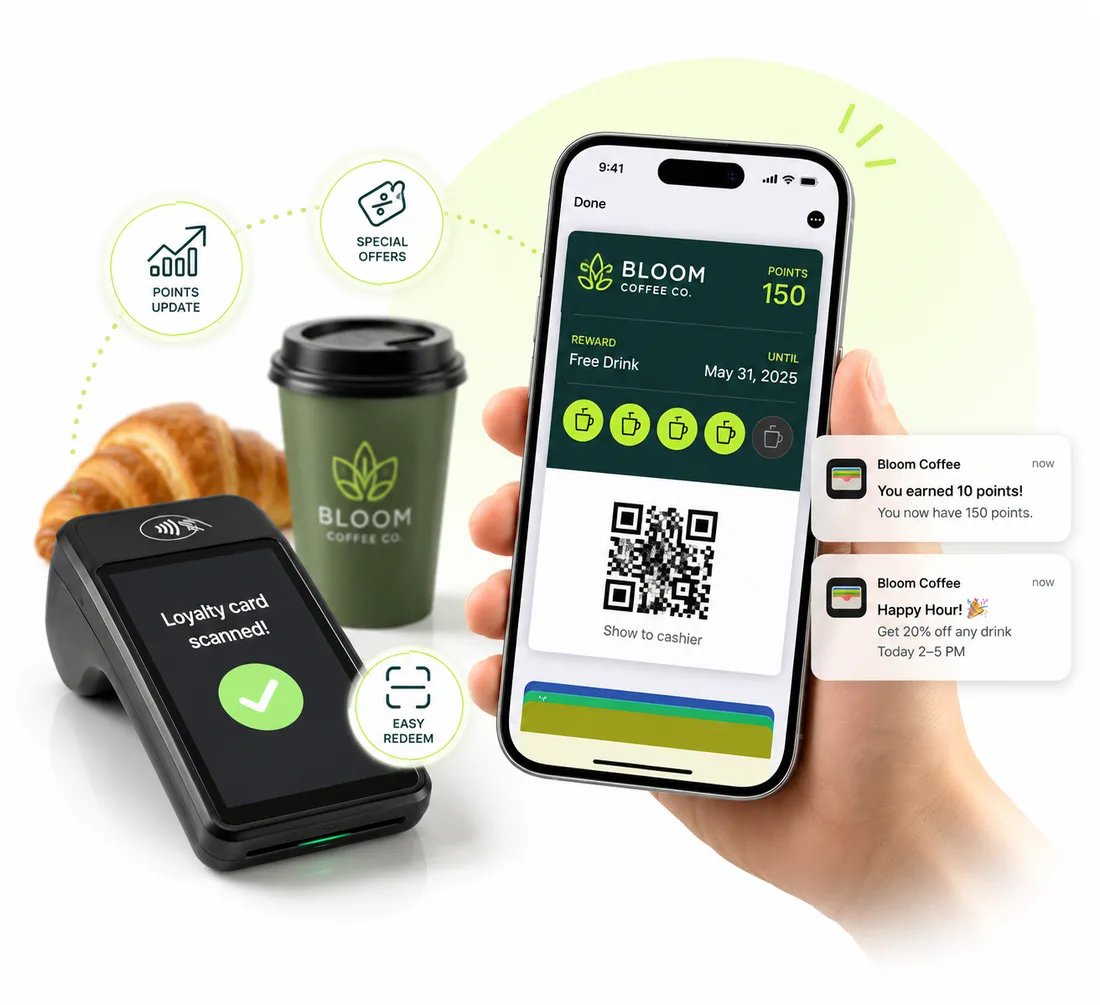
Give every guest a stamp card in Apple Wallet or Google Wallet. They add it in seconds, you stamp it with a scan at the register, and you can message them right on their lock screen. No app to download, no paper cards to lose.
New accounts get 20 pass credits free.
Why paper punch cards stop working
They get lost
A punch card lives in a wallet or a coat pocket until it goes through the wash. A wallet pass is on the phone your guest already has in their hand.
You never learn who your regulars are
A paper card tells you nothing. With a join form, you collect the details you ask for, like a name and phone number, the first time a guest signs up.
There's no way to bring people back
Once a guest walks out, that's it. A wallet pass lets you send a notification about a slow Tuesday or a new menu item, straight to their lock screen.
How it works
Live in three steps
Design your card
Start from the loyalty template, add your logo and colors, pick a stamp icon or upload your own, and set the reward. For example: buy 9, get the 10th free.
Get guests to add it
Put the join QR code on the counter, the receipt or the table card. Guests scan it, fill in a short form, and tap Add to Apple Wallet or Add to Google Wallet.
Stamp on every visit
Your team scans the card with the built-in scanner on any phone or tablet. Or leave a kiosk at the counter where guests scan their own card or type their phone number.
Features
Everything a loyalty program needs, nothing it doesn't
Visit-based or spend-based rewards
Reward every visit, or every $50 spent. Progress shows on the card, and it resets on its own when a guest earns their reward.
A join form for new guests
Collect the details you choose when a guest signs up. Their personalized card is created for them automatically.
Scan-to-stamp for your team
Invite staff with a scanner-only login. They land straight on the scanner and never see the rest of your dashboard.
Self-service kiosk
Leave a tablet at the counter. Guests scan their card or enter their phone number and their visit is recorded. Kiosks are visits-only, so guests can't enter their own spend.
Offers on the lock screen
Announce happy hour or a new dish. Send it now or schedule it for later. On Apple Wallet you can also set a location so the card surfaces when a guest is nearby.
See what's working
Your stats page shows how many guests saved the card, and when. A wallet activity list shows each save and removal.
Passes restaurants start with
Pick a template, swap in your logo and colors, and publish. Each one works in Apple Wallet and Google Wallet.
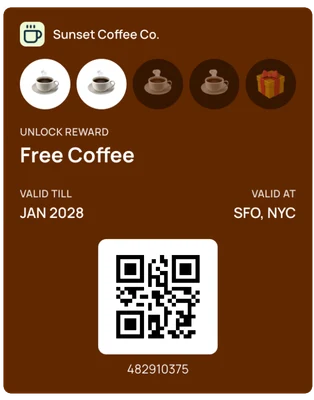
Stamp card
A stamp card that fills up with every visit.
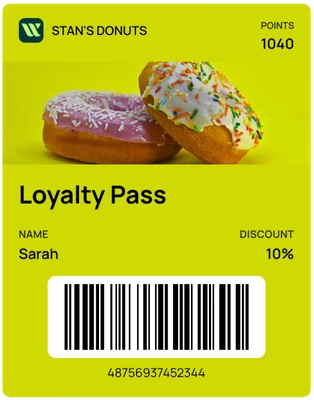
Points card
A points balance and discount, with a photo of your best seller.
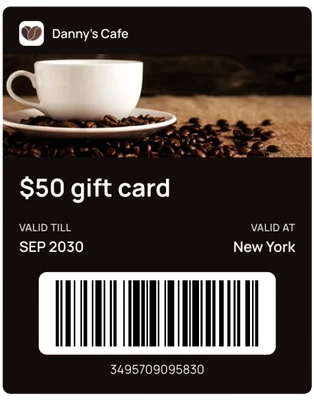
Gift card
A digital gift card guests can send and keep.
FAQ
Questions restaurants ask us
Do my guests need to download an app?+
No. The card is saved straight into Apple Wallet on iPhone or Google Wallet on Android, using the wallet app that's already on their phone.
Do I need a special POS system or hardware?+
No. Your team scans the guest's card with the camera on a phone or tablet. If you want your own POS system to record visits, the REST API can post loyalty transactions for you.
How do guests earn stamps?+
You choose how rewards work: a set number of visits, or a spend amount such as every $50. Each scan records a visit or a purchase, the card updates in the wallet, and it resets when the reward is earned.
Can my staff stamp cards without seeing my whole account?+
Yes. Invite team members with the staff role. They sign in to the scanner and can't get to the rest of your dashboard.
What if a guest can't find their card?+
At a kiosk, guests can enter the phone number they signed up with instead of scanning the card.
Can I send offers to guests who saved my card?+
Yes. Send a notification whenever you like, or schedule one for later. It appears on the guest's lock screen.
Can I run more than one location?+
Yes. Use a separate workspace for each location so passes, stats and staff stay separate.
How much does it cost?+
One plan with every feature: $49 a month or $490 a year, with 1,000 pass credits included. New accounts get 20 pass credits free to try it out.
More use cases
See how other businesses use wallet passes
- Gyms and studios
- Events
- Retail and boutiques
- Associations and clubs
- Creators and professionals
- Salons and spas
- Schools and nonprofits
- Gift cards
Designing your first pass? Read the Apple Wallet and Google Wallet best practices guide.
Your next card doesn’t need to be plastic.
Create a wallet pass your customers can save in seconds.