


Apple Wallet and Google Wallet passes for WooCommerce
Tick Wallet pass on a WooCommerce product, and each unit bought gets its own wallet pass with a QR code once the order is paid. Three tickets are three passes to share and scan.
New accounts get free pass credits to start. Tested with WooCommerce 11.2 in October 2026.
Setup
Set up WooCommerce wallet passes in four steps
Install the plugin
In WordPress, go to Plugins, then Add New, and search for WalletPassBuilder.
Connect your account
Open WalletPassBuilder in the admin menu and paste the API key from your dashboard.
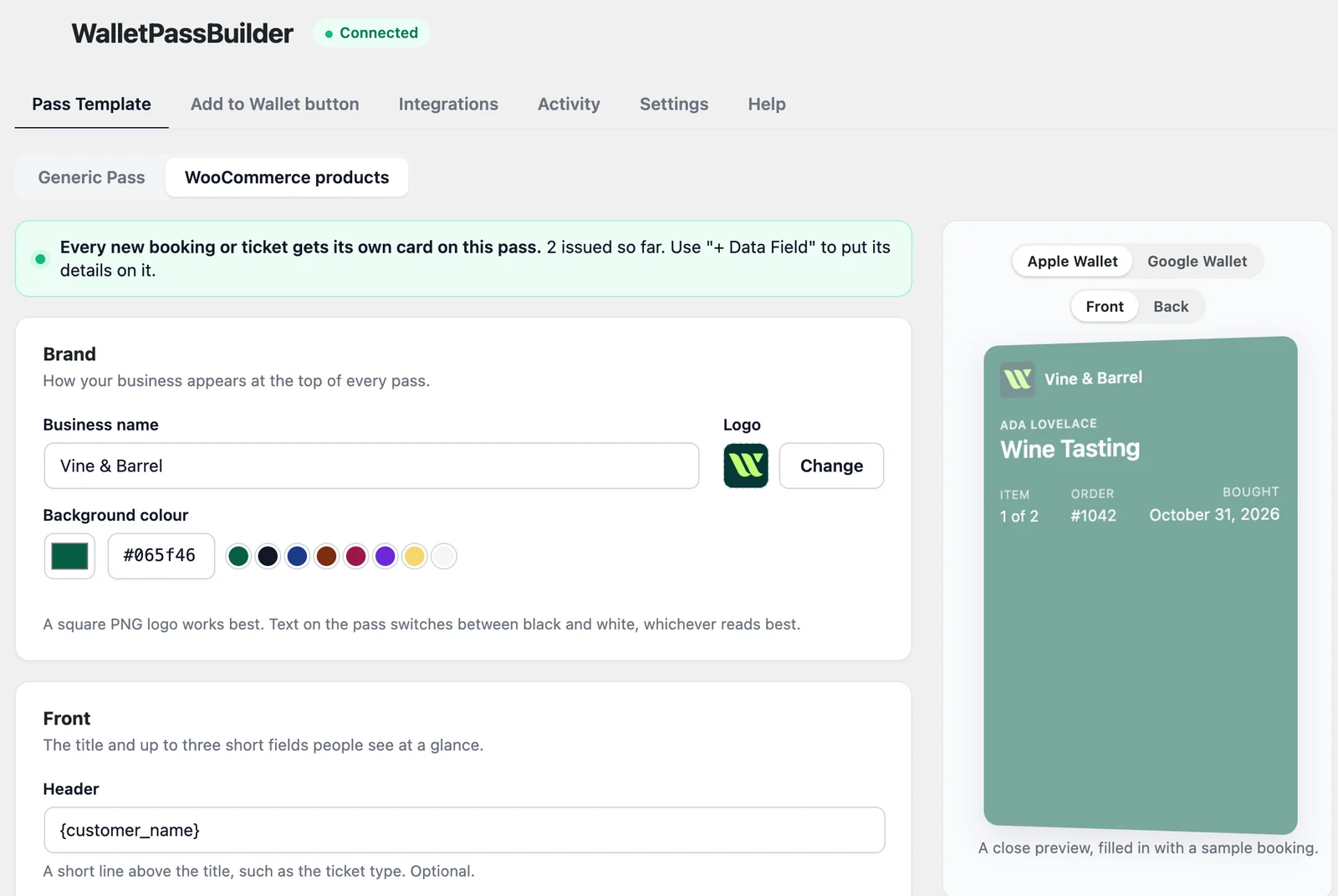
Design the pass
On the Pass Template tab, choose WooCommerce products and make it yours.
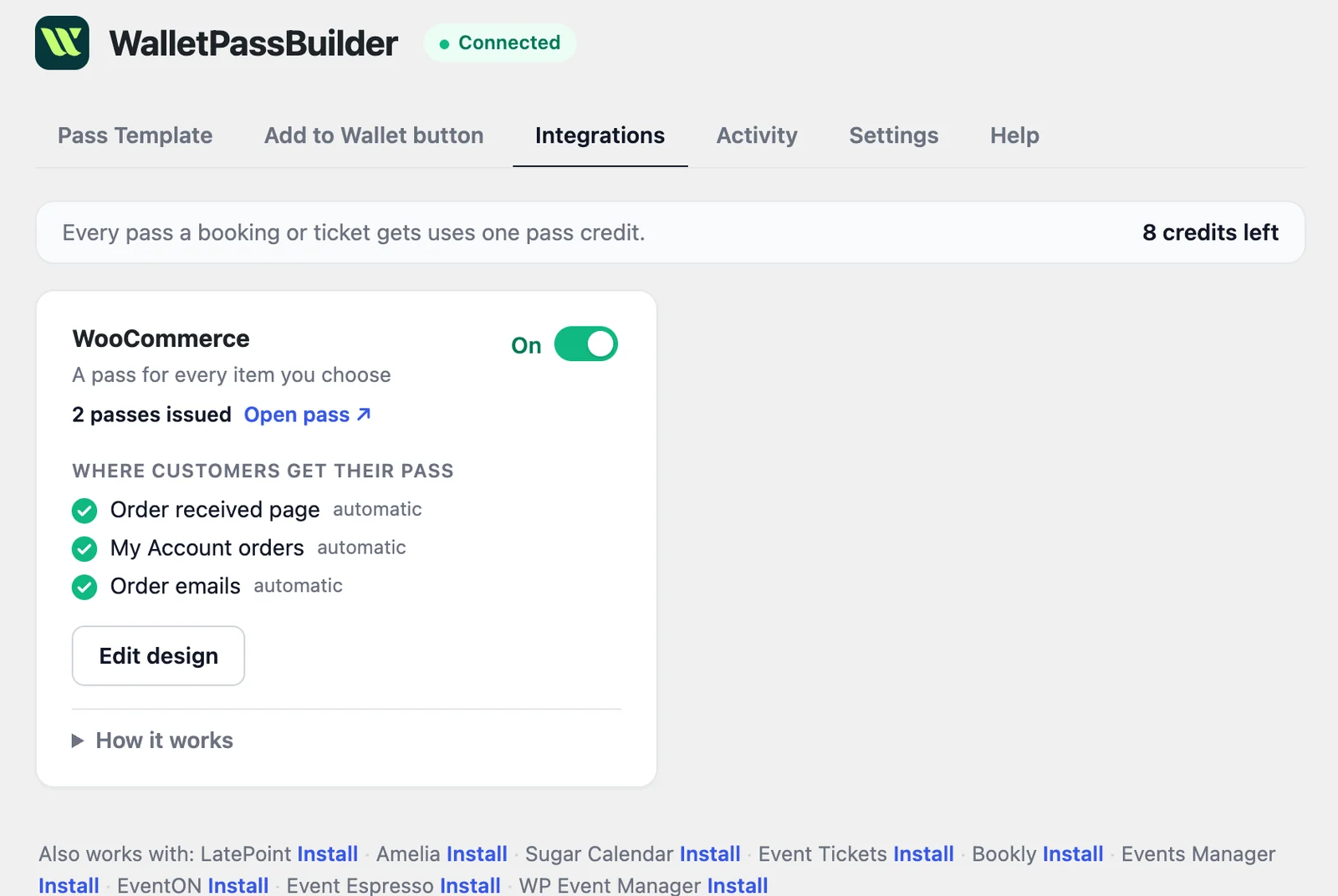
Turn on WooCommerce
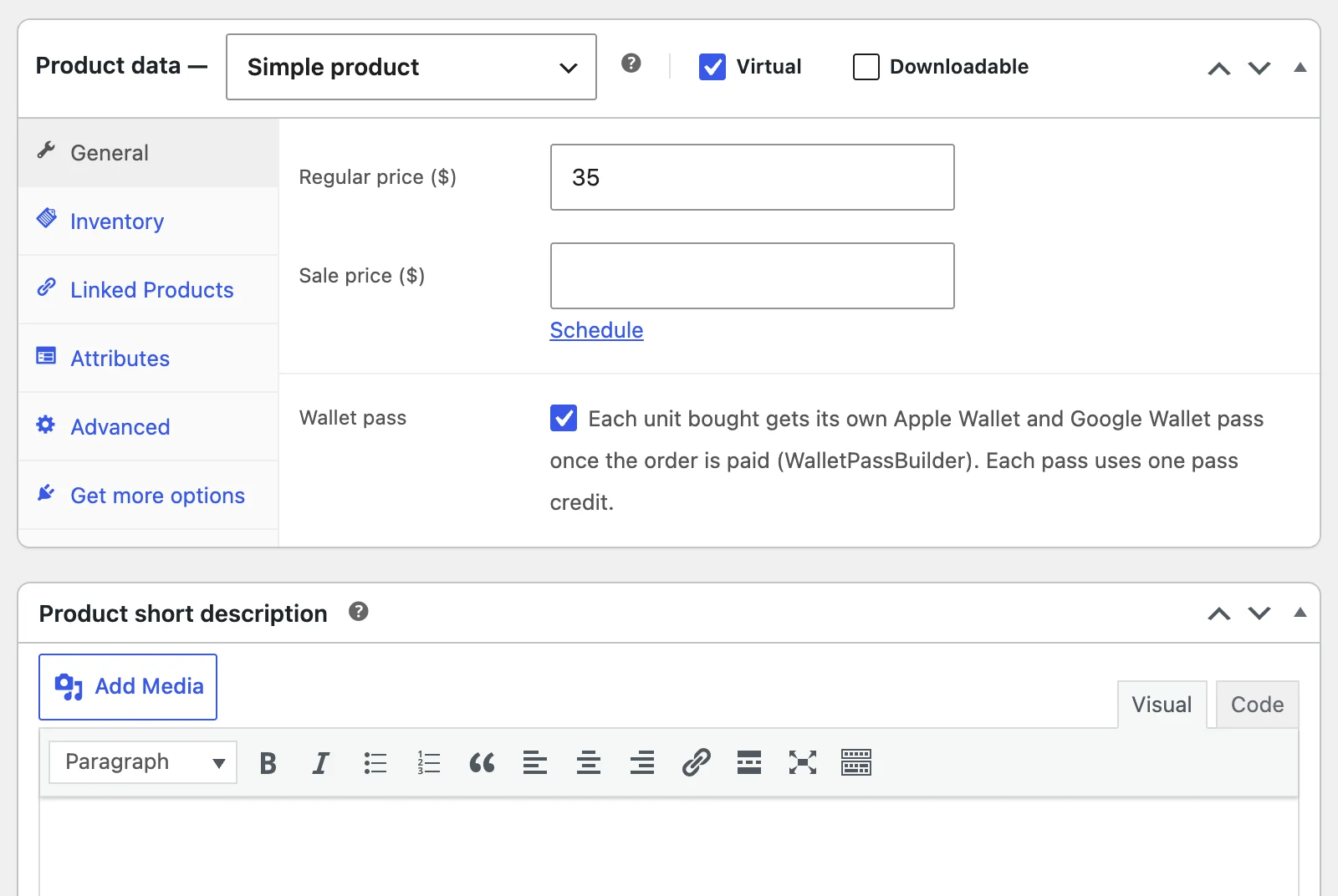
Switch it on under the Integrations tab, then tick Wallet pass on each product that should issue one.
Want every detail? Read the WordPress setup guide
Add to Wallet
Where customers save their WooCommerce pass
Once a product has Wallet pass ticked, the official Add to Apple Wallet and Add to Google Wallet buttons appear by themselves in WooCommerce's own screens and emails, with no tags to add.
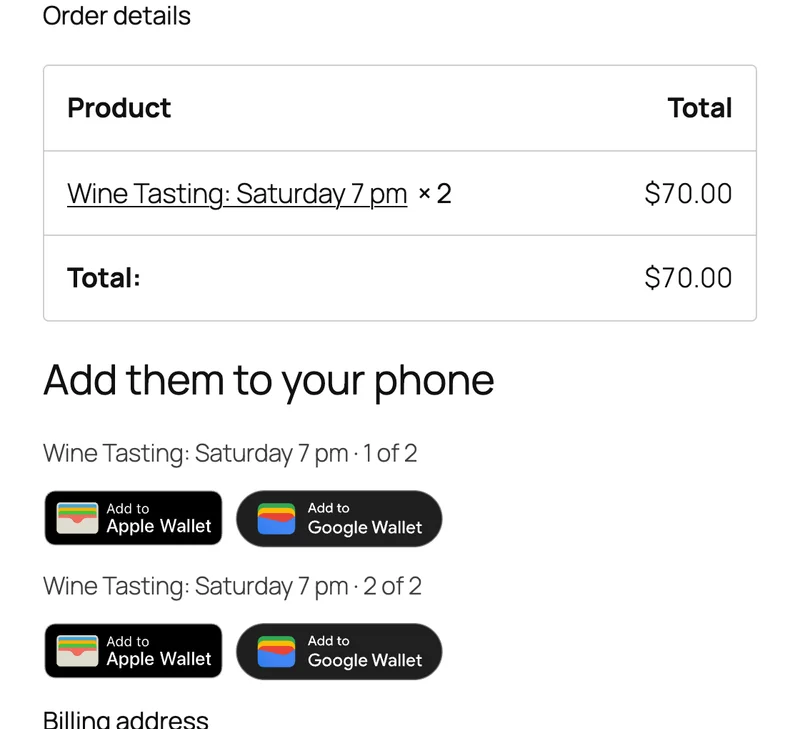
Order received page
One pair of buttons per unit, right after checkout.
My Account
On the order, so customers can come back to their passes.
Order emails
In WooCommerce's customer order emails, automatically. Plain-text emails get links instead.
On the pass
Every WooCommerce item's details, on the customer's phone
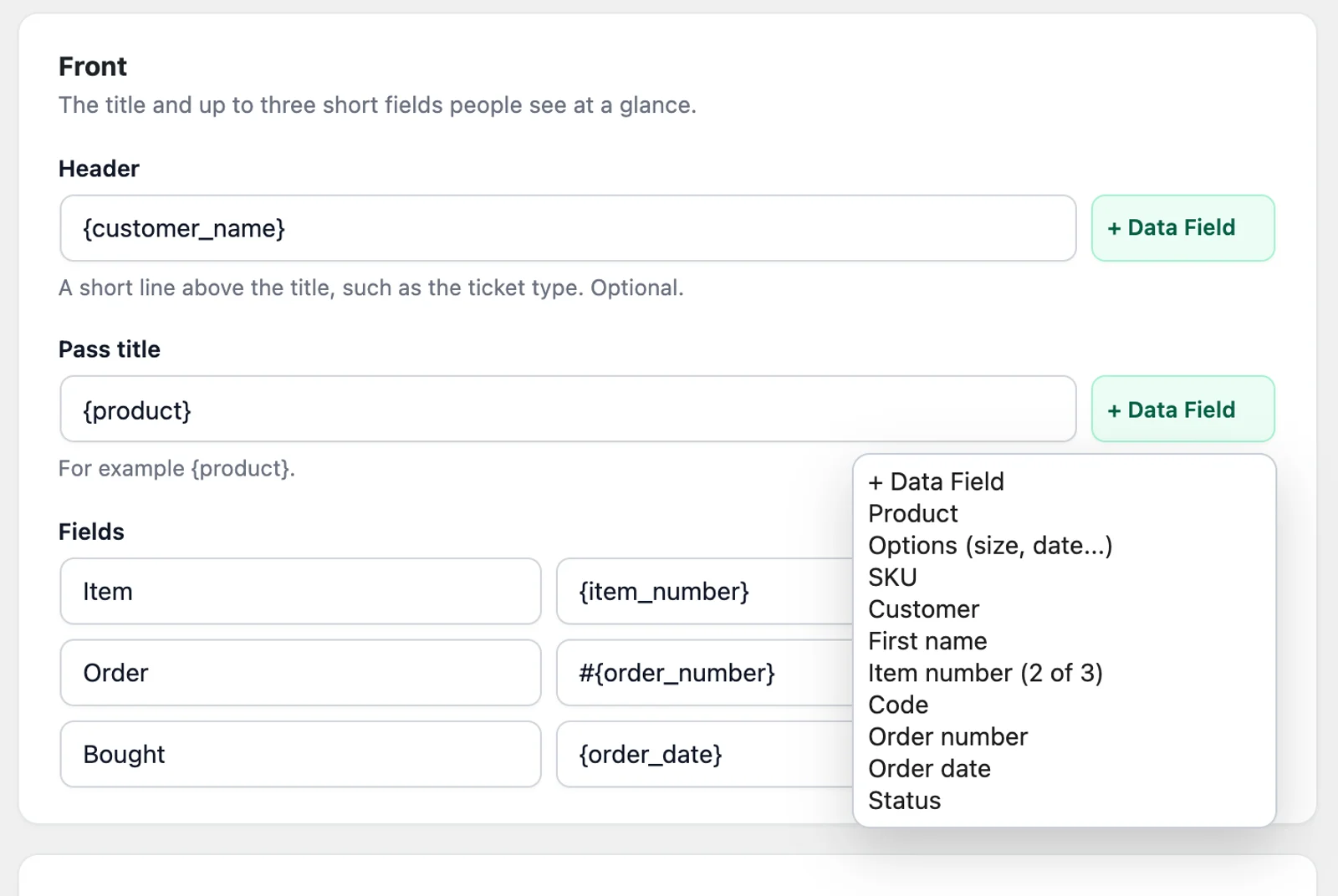
A new pass shows the customer's name, the product, the item number, the order and when it was bought, with a code unique to that unit. A variation's options, such as a session or size, go on the back.
- Product
- Options
- SKU
- Customer
- First name
- Item number
- Code
- Order number
- Order date
- Status
Ada Lovelace
Wine Tasting
Item
1 of 2
Order
#1042
Bought
Oct 31
7F3A9C2E1B
Ada Lovelace
Wine Tasting
7F3A9C2E1B
Item
1 of 2
Order
#1042
Bought
Oct 31
Stays up to date
When a WooCommerce order changes, so does the pass
Paid
Each unit gets its own pass once the order is paid, so a bank transfer waits until you mark it paid.
Order edited
Change a detail the pass shows and the saved pass updates.
Cancelled or failed
A cancelled or failed order shows as Cancelled on its passes.
Refunded
Refund the order or a single unit, and that unit's pass shows Refunded.
Compared
WooCommerce wallet pass or order email?
WooCommerce already sends an order email. A wallet pass gives each unit its own code on the customer's phone, and the buttons go in that same email.
| Order email | Wallet pass | |
|---|---|---|
| One code per unit | No, one email per order | Yes, one pass per unit |
| Easy to find when it's needed | Only by searching their inbox | Yes, in the wallet on their phone |
| Can be shared separately | Only by forwarding the order | Yes, each pass has its own link |
| Shows a refund | Only with a new email | Yes, on the pass |
| Reminder near your location | No | Optional |
Who it's for
Who WooCommerce wallet passes are for
Tastings and classes
Sell a session as a product, using variations for the date, and give each seat its own pass.
Simple event tickets
Sell tickets from your shop without an events plugin. Three bought are three passes.
Wallet passes for eventsVouchers and gift cards
Put a code on a pass customers can give away, and show when it's been refunded.
Wallet passes for gift cardsMemberships and bundles
Hand out a member card or class pack the moment the order is paid.
Wallet passes for gymsWooCommerce questions
- Do my customers need to install an app?
- No. The pass opens in Apple Wallet or Google Wallet, which they already have on their phone. On a computer, the button opens a page with a QR code to scan with their phone.
- Does every product get a pass?
- No. Only products with Wallet pass ticked, under Product data > General. Variations follow their parent product.
- Does it work with HPOS?
- Yes. The plugin uses only WooCommerce's order API, so it works with High-Performance Order Storage.
- Can a pass show an event's date?
- WooCommerce products don't have an event date, so a pass shows the product, unit and order. Put the date in the product's name or a variation's options. For real events, use an event plugin integration.
- What does it cost?
- The plugin is free. It uses pass credits from your WalletPassBuilder account: 1 per pass created or saved to a wallet, whichever total is higher. Updating passes doesn't use credits, and new accounts get free pass credits to start.
- Is my customer's contact information on the pass?
- No. Email addresses, phone numbers and postal addresses are never sent to WalletPassBuilder, because anyone who sees the phone can see a wallet pass.
- What if an order doesn't get a pass?
- Check that WooCommerce is turned on under the plugin's Integrations tab and that the product has Wallet pass ticked, then look in Activity. A failed entry says why, and Retry sends it again.
Use another plugin? See everything the WordPress plugin works with
Be on the lock screen in a few minutes.
Your first pass is quick to make. Pick a template, add your logo, and share the link.