


Apple Wallet and Google Wallet passes for Amelia
Give every Amelia appointment and event booking its own wallet pass. Customers save it from the booking confirmation, and it updates on their phone when the booking changes.
New accounts get free pass credits to start. Tested with Amelia 2.4.14 (free) in October 2026.
Setup
Set up Amelia wallet passes in four steps
Install the plugin
In WordPress, go to Plugins, then Add New, and search for WalletPassBuilder.
Connect your account
Open WalletPassBuilder in the admin menu and paste the API key from your dashboard.
Design the pass
On the Pass Template tab, choose Amelia appointments or Amelia events and make it yours.
Turn on Amelia
Switch it on under the Integrations tab. New bookings get their pass from then on.
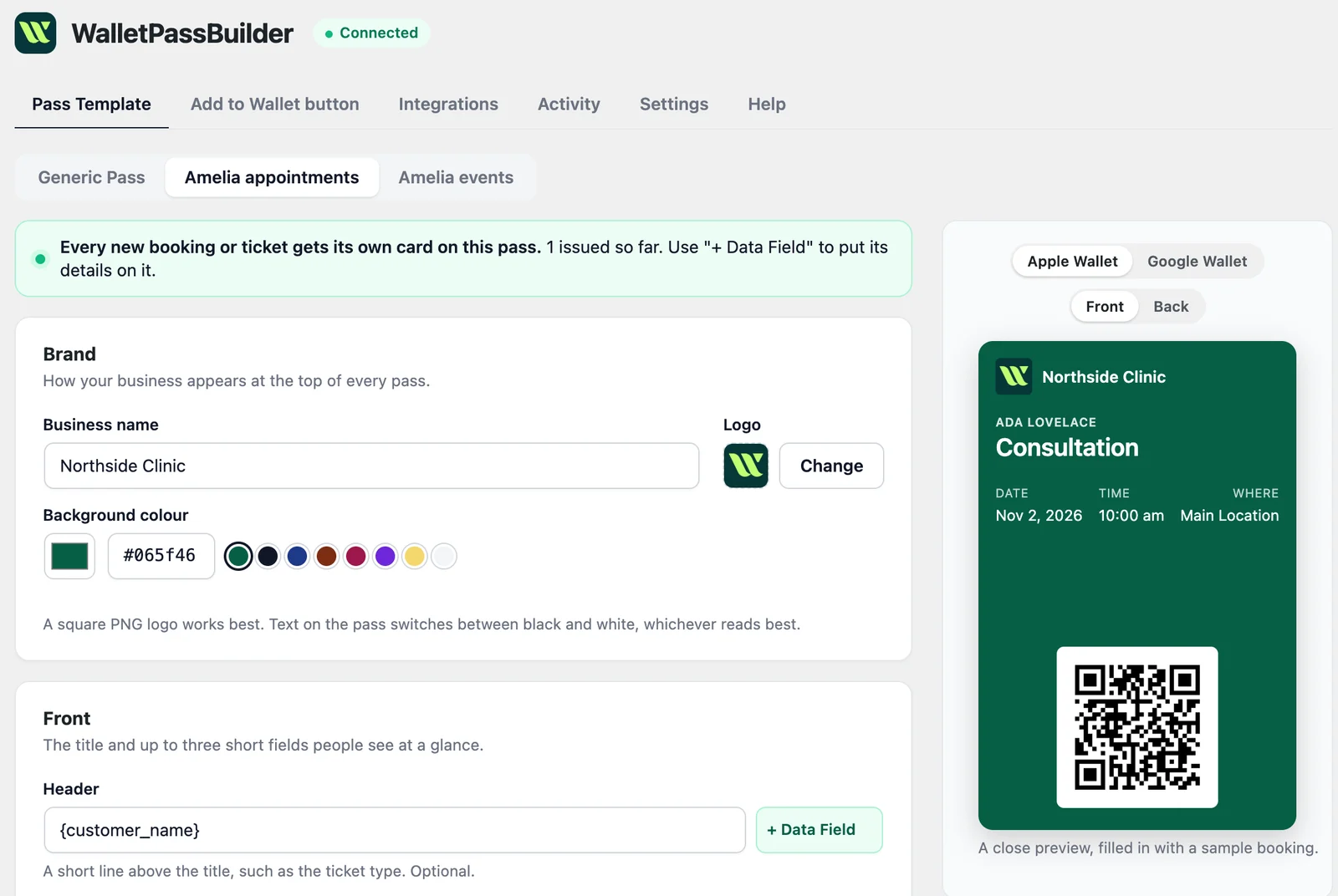
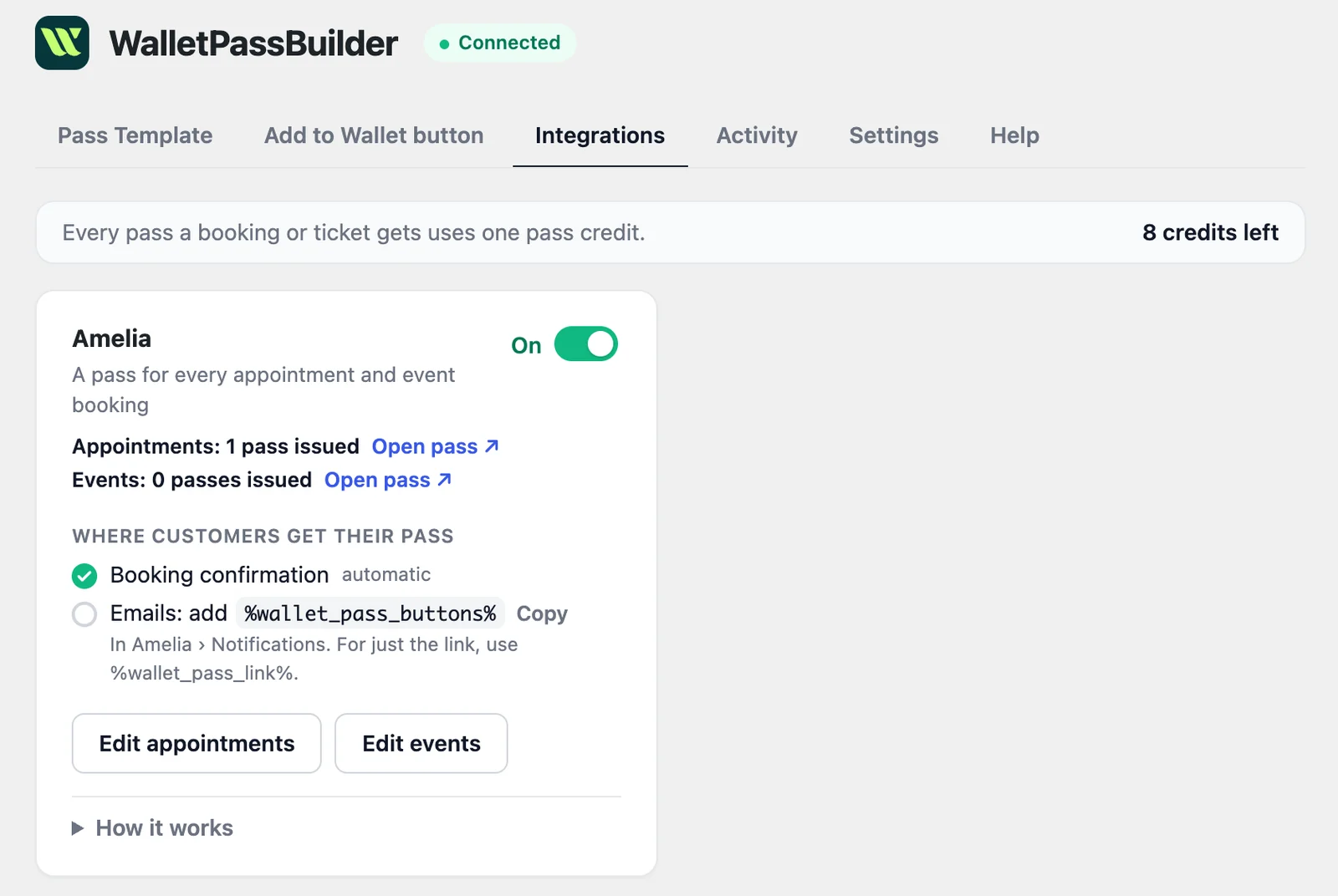
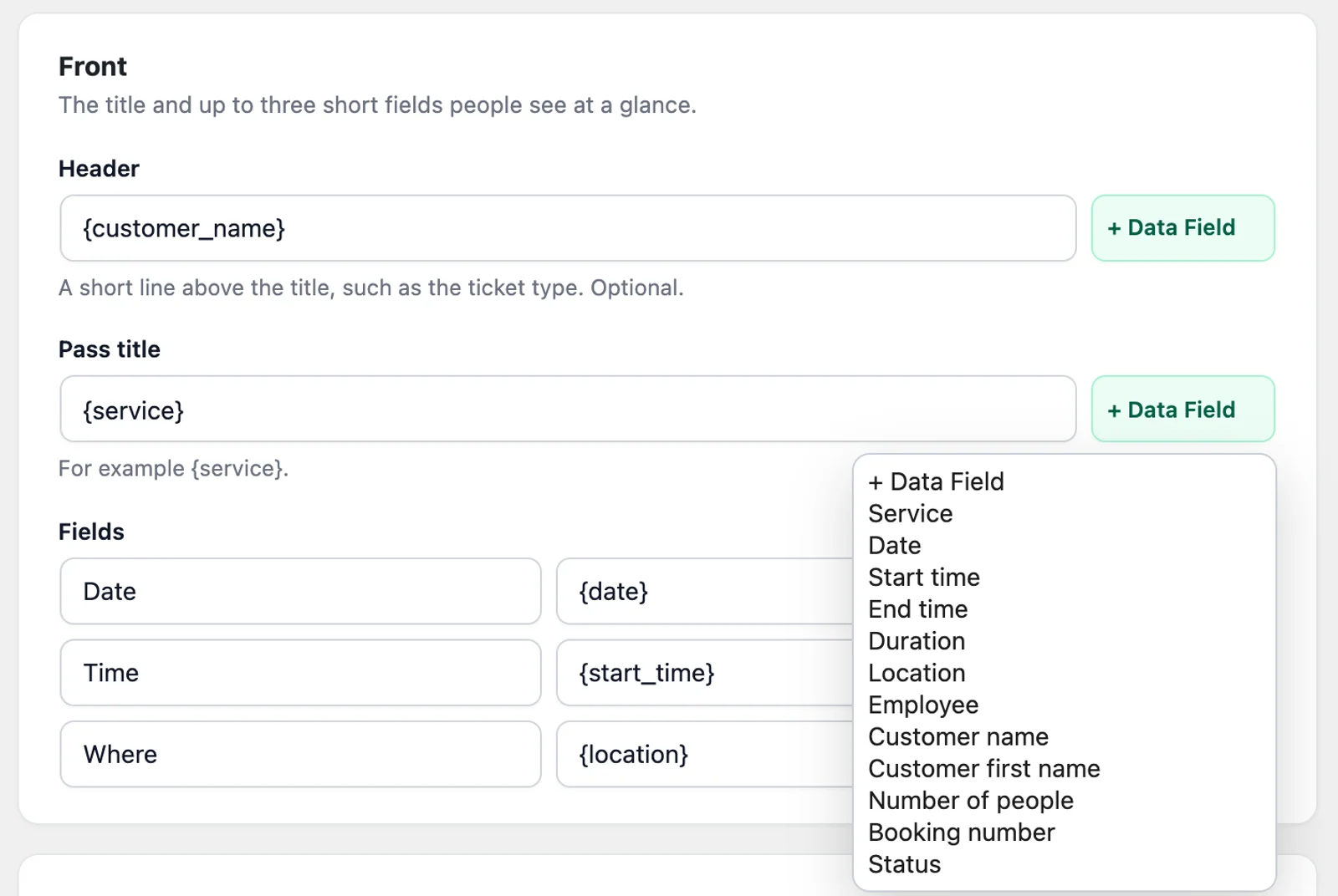
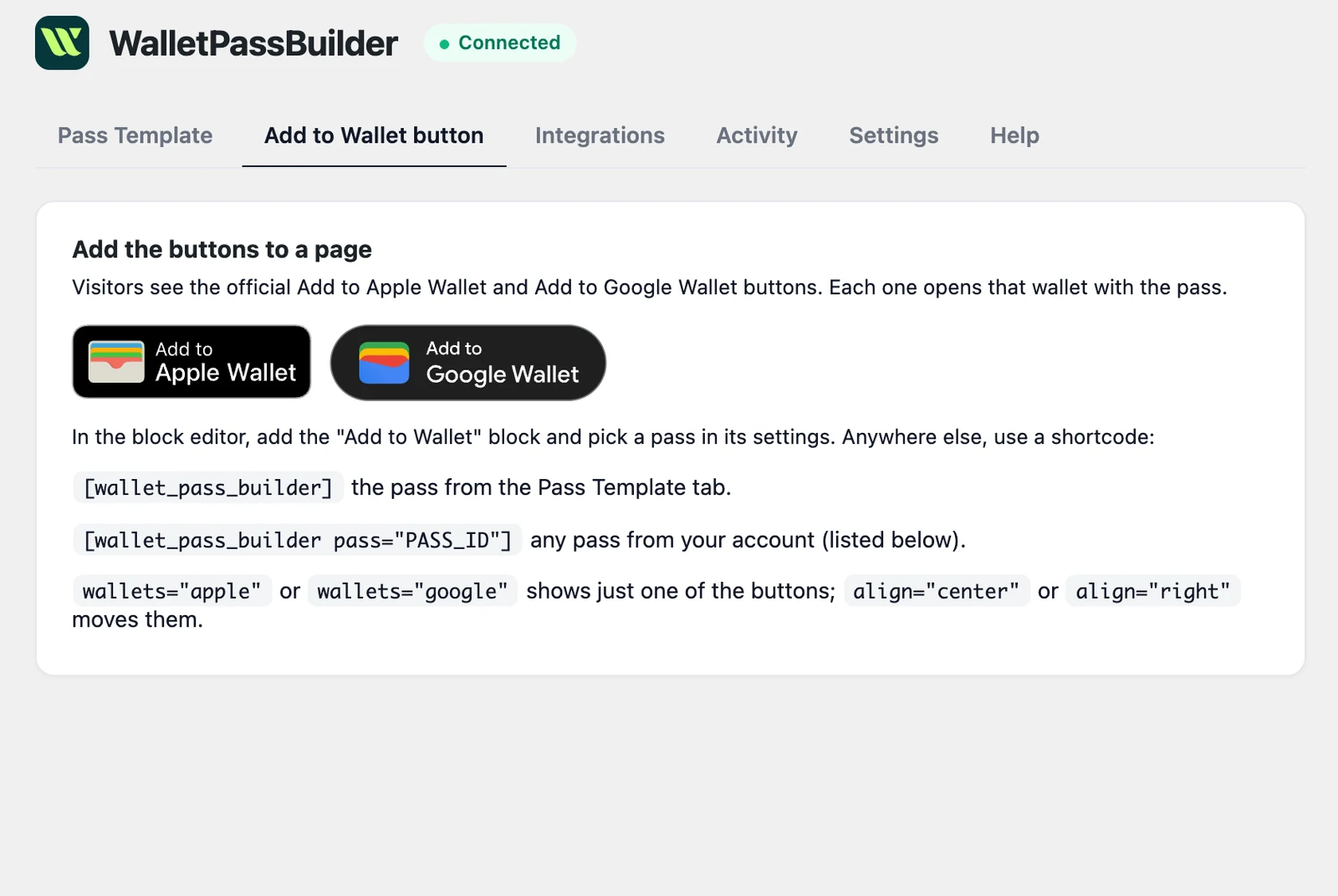
Want every detail? Read the WordPress setup guide
Add to Wallet
Where customers save their Amelia pass
Once the integration is on, the official Add to Apple Wallet and Add to Google Wallet buttons appear on Amelia's confirmation, and you can add them to its emails.
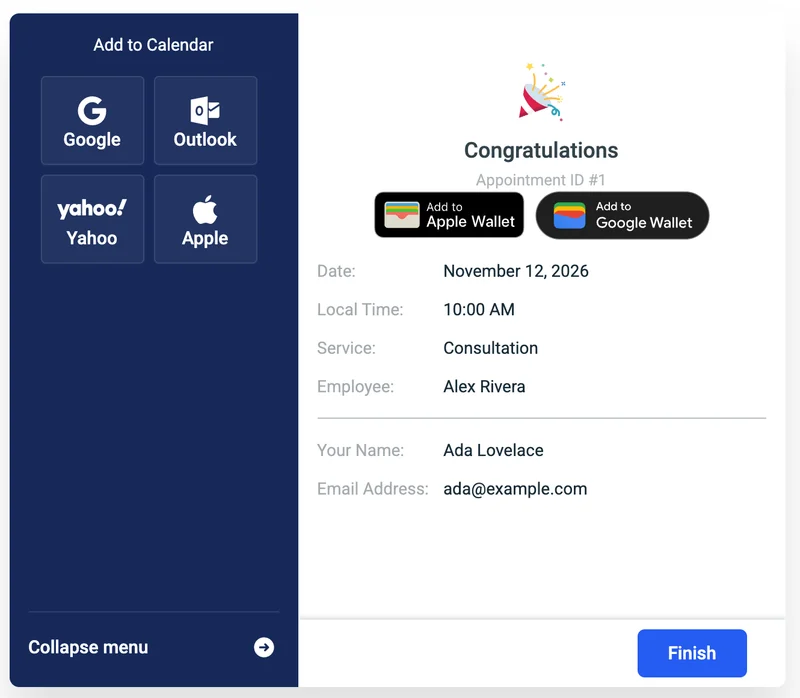
Booking confirmation
On the Congratulations screen of Amelia's booking forms, right after the customer books.
Amelia's emails
Add a tag to a customer notification in Amelia under Notifications.
- %wallet_pass_buttons%
- The Add to Wallet buttons
- %wallet_pass_link%
- A plain link to the pass
On the pass
Every Amelia booking's details, on the customer's phone
Appointments and events each have their own pass design, so an event ticket can look different from a consultation. These are the appointment fields; events swap Service and Employee for Event and Tickets.
- Service
- Date
- Start time
- End time
- Duration
- Location
- Employee
- Customer name
- Customer first name
- Number of people
- Booking number
- Status
Ada Lovelace
Consultation
Date
Nov 12
Time
10 AM
Where
Downtown
1042
Ada Lovelace
Consultation
1042
Date
Nov 12
Time
10 AM
Where
Downtown
Stays up to date
When an Amelia booking changes, so does the pass
Booked
The appointment or event booking gets its own pass as soon as it's saved.
Rescheduled
Move an appointment in Amelia and the date and time update on the saved pass.
Status changed
The pass shows Confirmed, Pending approval, Cancelled, Rejected or Waiting list, following the booking.
Event changed
Edit or cancel an event and the passes for its bookings follow, without touching each booking.
Compared
Amelia wallet pass or calendar invite?
Amelia already offers to add a booking to a calendar. A wallet pass does a different job, and customers can use both: the buttons sit together on the same screen.
| Calendar invite | Wallet pass | |
|---|---|---|
| Updates when the booking changes | No, a saved event stays as it was | Yes, on the customer's phone |
| Booking number ready to scan | No | Yes, as a QR code |
| Shows in the customer's schedule | Yes | No |
| Works for event tickets | As a reminder only | Yes, with its own design |
| Reminder near your location | No | Optional |
Who it's for
Who Amelia wallet passes are for
Clinics and therapists
Show the time and location at a glance. Anyone who sees the phone can see a pass, so you can leave a sensitive service name off it.
Salons and spas
Put the service, employee and time on the pass, so clients see the new time if an appointment moves.
Wallet passes for salonsClasses and workshops
Sell a seat with Amelia's events and give each booking a pass with the number of people on it.
Wallet passes for eventsBusinesses doing both
Run appointments and events from one plugin, with a separate pass design for each.
Amelia questions
- Do my customers need to install an app?
- No. The pass opens in Apple Wallet or Google Wallet, which they already have on their phone. On a computer, the button opens a page with a QR code to scan with their phone.
- Does it work with the free version of Amelia?
- Yes. We tested it with the free Amelia plugin from WordPress.org, from booking through to the Add to Wallet buttons on the confirmation.
- Do appointments and events use the same pass?
- No. Turning Amelia on creates two passes, so you can design them separately under Amelia appointments and Amelia events on the Pass Template tab.
- What does it cost?
- The plugin is free. It uses pass credits from your WalletPassBuilder account: 1 per pass created or saved to a wallet, whichever total is higher. Updating passes doesn't use credits, and new accounts get free pass credits to start.
- Do bookings I already have get a pass?
- Passes start with bookings made once the integration is on.
- Is my customer's contact information on the pass?
- No. Customer email addresses and phone numbers are never sent to WalletPassBuilder, because anyone who sees the phone can see a wallet pass.
- What if a booking doesn't get a pass?
- Check that Amelia is turned on under the plugin's Integrations tab, then look in Activity. A failed entry says why, and Retry sends it again. The plugin also checks every 15 minutes for anything that failed.
Use another plugin? See everything the WordPress plugin works with
Be on the lock screen in a few minutes.
Your first pass is quick to make. Pick a template, add your logo, and share the link.